Old Photo Colorization
Turn a black-and-white or sepia photograph into a natural, period-appropriate colour photo.
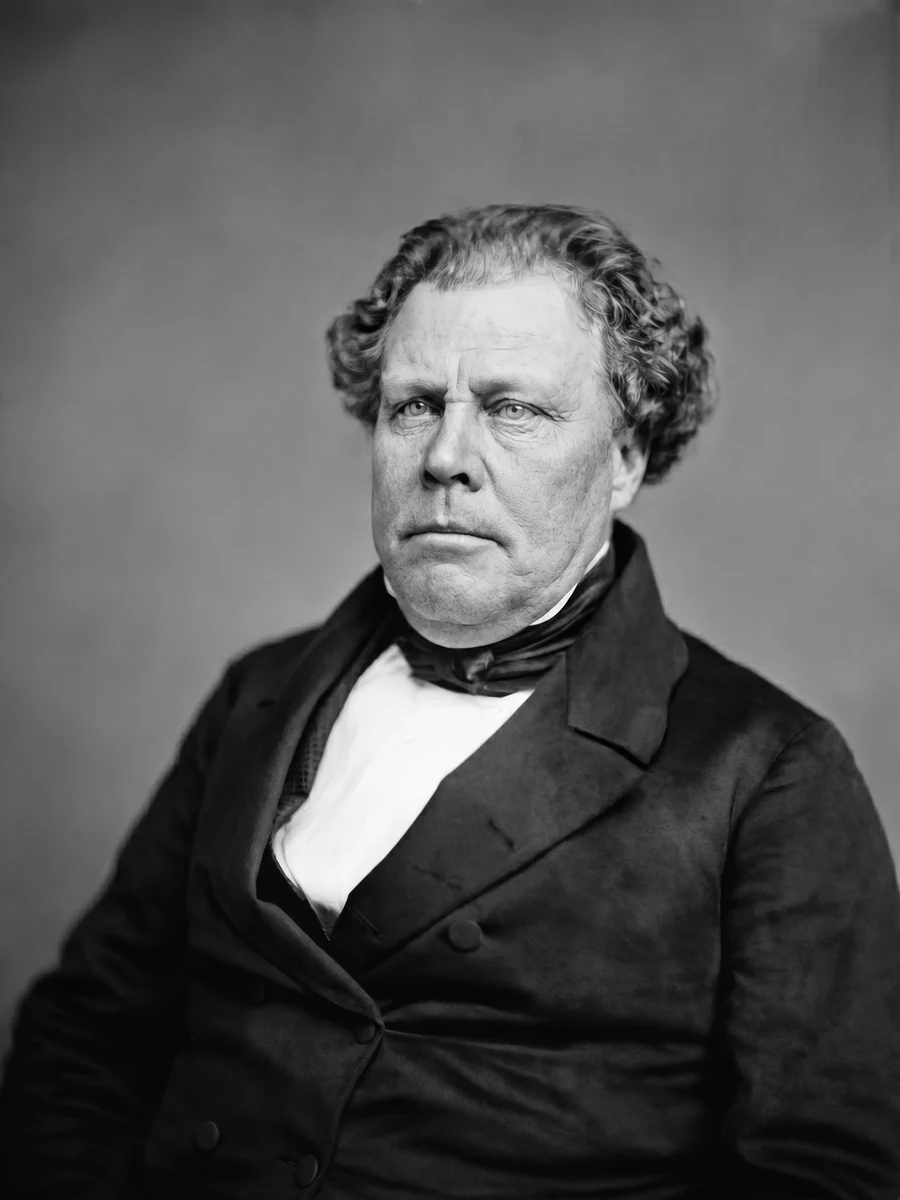
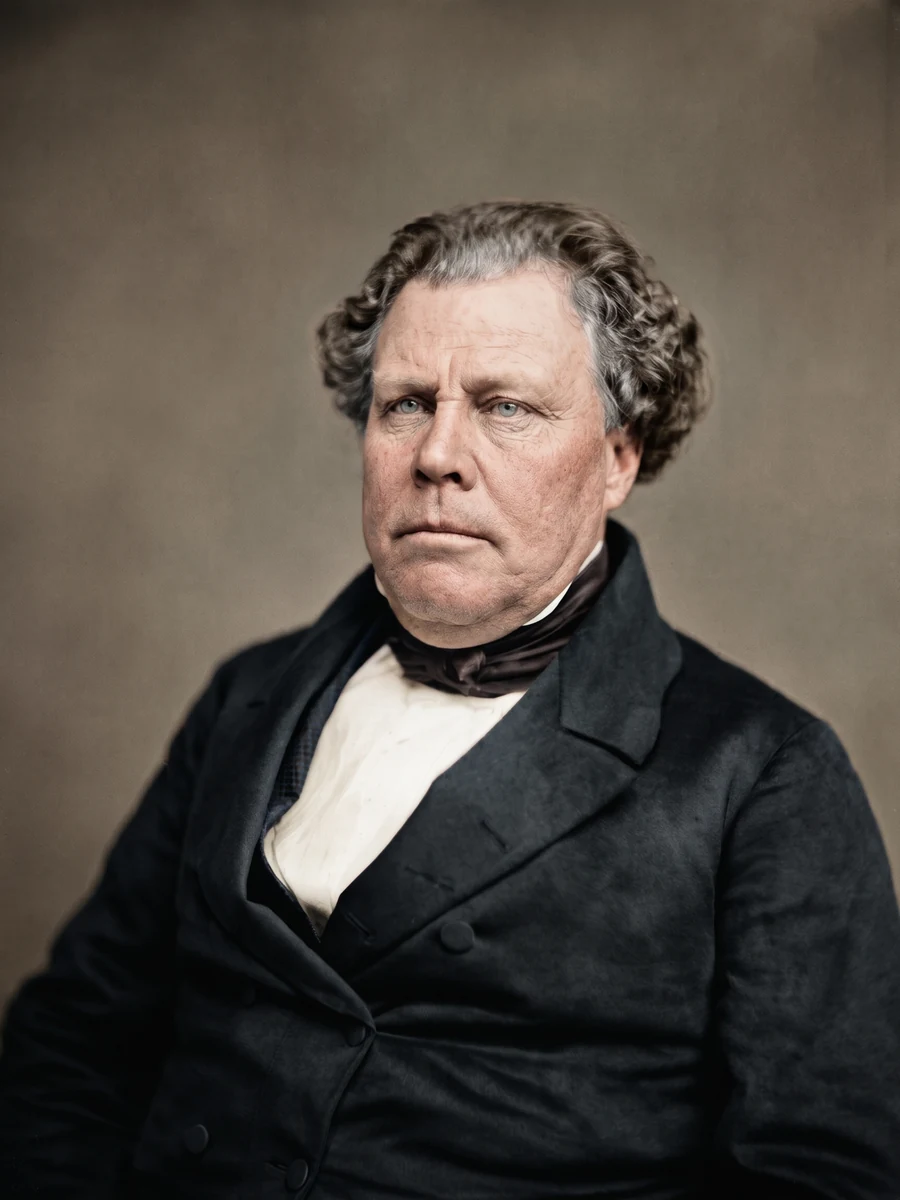
- Photos needed
- —
- Cost
- —
- Format
- Still image
The credit cost is shown before you start, so you know the price before any photo is uploaded.
What this effect does
Old Photo Colorization adds restrained, believable colour to a black-and-white or sepia photograph: skin with subtle variation, natural hair and eye colour, fabric that matches the garment's weave and folds, and credible wood, stone, foliage and sky.
Only the colour changes. Every shape, edge and expression stays where it is in the original, so the result reads as a hand-finished historical photograph rather than a modern digital photo with a filter over it.
How it works
Load the old photo
Upload a black-and-white or sepia photograph. A scan or a clean phone photo of the print both work.
Start the effect
The page shows the credit cost before you start. The prompt and model run on our server and never reach your browser.
Get the result
Your colour photograph appears on this page, ready to download. A failed generation returns its credits automatically.
Questions
What kind of photo does it work on?
A black-and-white or sepia photograph with a clear subject. Dust and scratches are left in place; use Old Photo Restoration first if the print is damaged.
Will it change the person or the scene?
No. Only the colour is added. Facial features, age, expression, clothing, pose and background stay as they are in the original.
How many photos do I need?
One. Upload the black-and-white photograph and the result is a complete colour photograph.
What does it cost?
The page shows the credit cost before you start. A new account starts with one free photo, and a failed generation returns its credits automatically.
Who can see my photo?
Only you. Uploads and results belong to your account. The public effect page shows example imagery, never your photo.